// trantalk
Move calendar contents to another calendar
Want to move the contents of an Outlook calendar but you are having a hard time? Here is a helpful trick.
- Select the calendar in question.
- On the View menu choose Change View, then List.
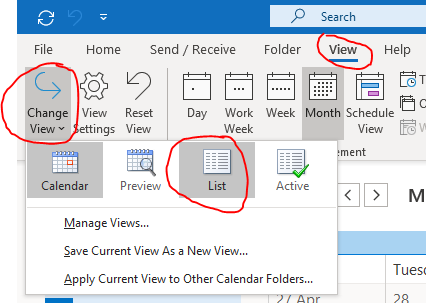
- Select the items in the list and drag them to the new calendar. Holding Ctrl while you drag copies them instead of moving them.

This works in Outlook 2010, 2013, 2016, 2019 and Microsoft 365 (the classic desktop version).
Need a hand with IT?
We make IT happen, in Mackay and beyond.